claude-code-statusline


English | 繁體中文 | 日本語
Custom status line for Claude Code — model info, context usage gradient bar, token stats, cost, git status, and usage limits.
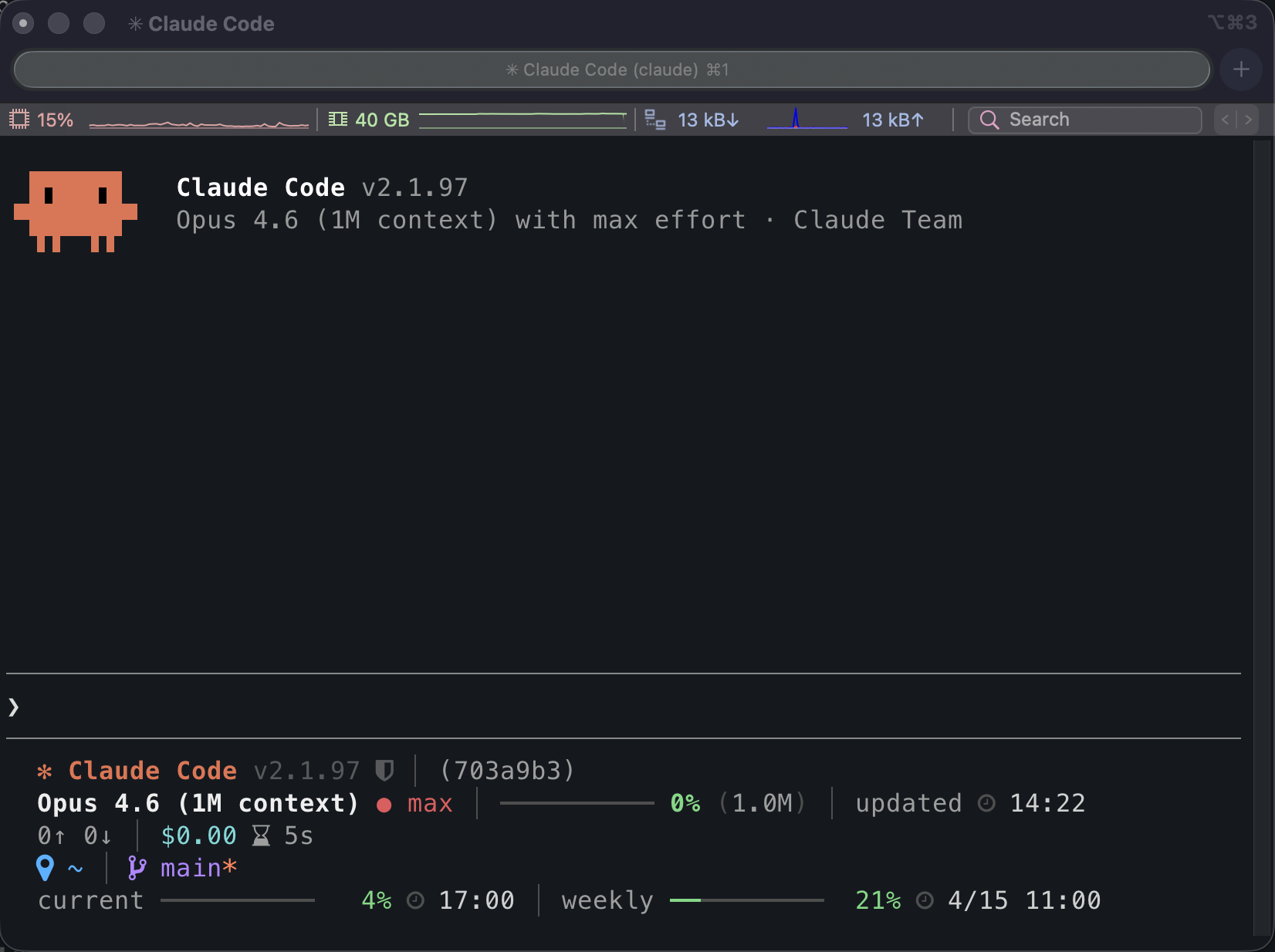
Inside Claude Code
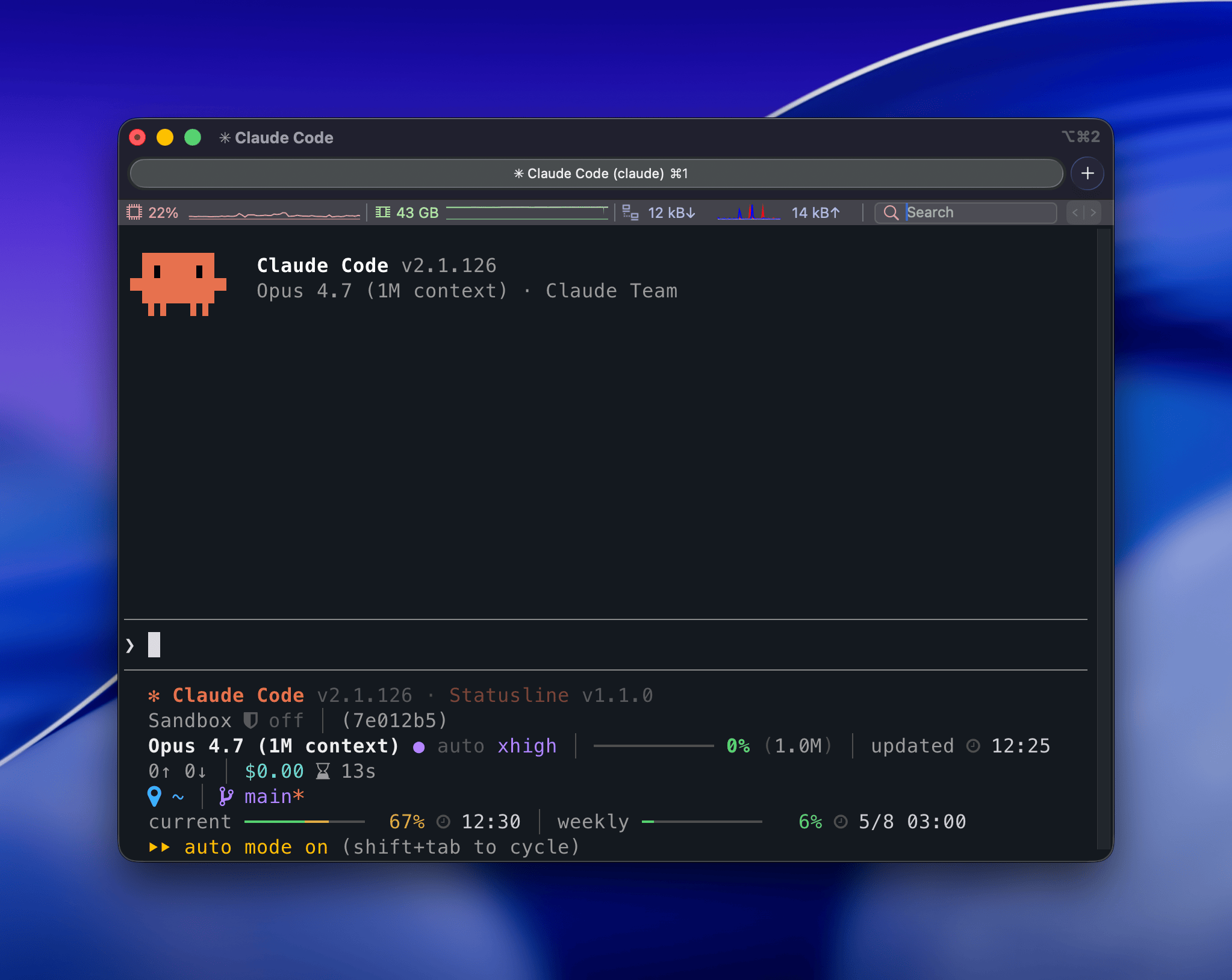
User Guide
Features
- Context usage gradient bar — 4-zone color spectrum from green to red
- Token and cost tracking — input/output tokens, cache hit ratio, session cost
- Session timing — wall-clock and API duration side by side
- Git integration — branch, dirty flag, worktree indicator, diff stats vs main
- Usage limit monitoring — current (5h) and weekly (7d) usage with reset times
- Service health lamp — the banner glyph signals Claude Code availability (status.claude.com) at a glance
- Sandbox indicator — shows whether sandbox mode is off, on, or auto
- Path compression — long paths auto-shorten to fit within 80 columns
- Zero runtime dependencies — Node.js built-ins only
Installation
The Claude Code plugin is the recommended path. The npm install is an alternative. Both write the same statusLine entry to ~/.claude/settings.json.
Claude Code plugin (recommended)
claude plugin marketplace add z80020100/claude-code-statusline
claude plugin install claude-code-statusline@claude-code-statusline
The slash command installs the latest @z80020100/claude-code-statusline from npm and writes the same command: "claude-code-statusline" entry. If npm's global bin directory is not on your PATH, the CLI prints a warning with instructions. Run it inside Claude Code:
/claude-code-statusline:setup
To remove the statusLine entry:
/claude-code-statusline:setup --uninstall
To fully uninstall the plugin and marketplace:
claude plugin uninstall claude-code-statusline@claude-code-statusline
claude plugin marketplace remove claude-code-statusline
npm (alternative)
npm install -g @z80020100/claude-code-statusline
claude-code-statusline setup
This writes command: "claude-code-statusline" (relies on PATH):
{
  "statusLine": {
    "type": "command",
    "command": "claude-code-statusline"
  }
}
To remove:
claude-code-statusline setup --uninstall
Icon Mode
Icons default to plain Unicode symbols for broad terminal compatibility.
Plugin slash command (recommended)
/claude-code-statusline:icons
/claude-code-statusline:icons nerd
/claude-code-statusline:icons unicode
CLI (alternative)
claude-code-statusline icons          # show current mode
claude-code-statusline icons nerd     # use Nerd Font icons
claude-code-statusline icons unicode  # use Unicode icons
Both write ~/.claude/claude-code-statusline.json. CLAUDE_STATUSLINE_ICONS still takes precedence when set.
Update Check
The banner always shows both Claude Code and Statusline current versions. The update check toggles only control whether → vX.Y.Z appears next to a version when the npm latest tag is newer. Both checks are off by default; each runs in a detached background process at most once per hour and caches the result under ~/.claude/.cache/.
- Claude Code update check — watches
@anthropic-ai/claude-code.
- Statusline self-update check — watches
@z80020100/claude-code-statusline.
Plugin slash command (recommended)
/claude-code-statusline:update-check
/claude-code-statusline:update-check on
/claude-code-statusline:update-check off
/claude-code-statusline:update-check claude on
/claude-code-statusline:update-check claude off
/claude-code-statusline:update-check statusline on
/claude-code-statusline:update-check statusline off
CLI (alternative)
claude-code-statusline update-check                  # show both states
claude-code-statusline update-check on               # enable both
claude-code-statusline update-check off              # disable both
claude-code-statusline update-check claude on        # enable Claude Code check
claude-code-statusline update-check claude off       # disable Claude Code check
claude-code-statusline update-check statusline on    # enable statusline self-check
claude-code-statusline update-check statusline off   # disable statusline self-check

 xrf9268-hue
 thedotmack
 uppinote20
 sickn33