AICTX





Operational continuity for AI coding agents.
AICTX helps Codex, Claude, GitHub Copilot and other coding agents continue work across sessions by preserving the last useful execution state: active work, next actions, decisions, failures, validation evidence and repo context.
The next agent does not start from zero. It resumes from what actually happened.
Website: https://aictx.org
PyPI package: https://pypi.org/project/aictx/
CLI: aictx
It is a repo-local CLI/runtime layer for agent continuity. It stores inspectable artifacts under .aictx/ and exposes continuity through CLI commands, local MCP tools/resources/prompts, and generated agent instructions.
AICTX is Codex-first, GitHub Copilot-aware, Claude-aware, and generic-agent compatible.
Quickstart · Installation · Continuity View · Demo · Technical overview · Official project
The problem
Coding agents are powerful, but most sessions still start cold:
- they rediscover the same repository structure;
- they reopen broad docs before the relevant source or test;
- they repeat failed commands or stale assumptions;
- unfinished work depends on chat history instead of repo-local state.
AICTX makes that continuity repo-local, inspectable, and reusable.
Install
Install AICTX, then initialize the repository:
pip install aictx
aictx install
aictx init
aictx --version
After that, keep using your coding agent.
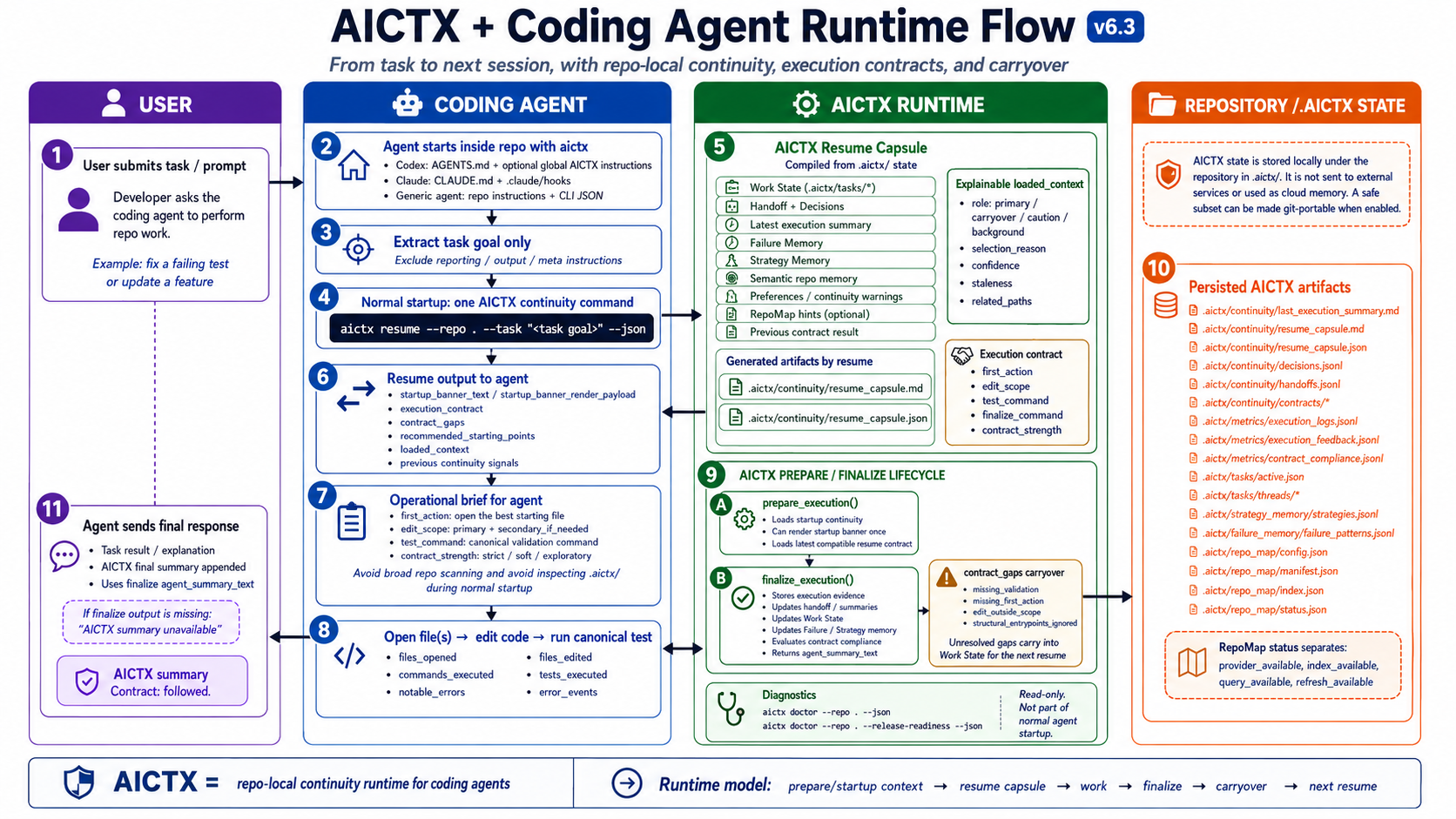
The generated repo instructions and hooks guide supported agents to call AICTX automatically. The normal user experience is:
install -> init -> use your coding agent
See Installation and Quickstart.
The operational continuity loop
resume useful context -> do the work -> finalize evidence -> next session continues
AICTX stores continuity locally under .aictx/, so it is inspectable, reviewable and not dependent on hidden chat history.
MCP server
AICTX can expose repo-local continuity as local MCP tools, resources and prompts.
Compatible agents can launch:
aictx mcp-server --repo . --profile full
The default aictx install / aictx init flow prepares AICTX MCP runtime metadata and repo-local MCP config through AICTX-managed, reversible setup. Sensitive client config is written as a managed <AICTX> block where the format supports comments, and as AICTX-managed JSON metadata in .mcp.json / .vscode/mcp.json. aictx clean / aictx uninstall remove only those managed entries and preserve user-authored MCP servers. Agents should prefer MCP tools when available and fall back to CLI commands otherwise.
See MCP.
Agent plugins
AICTX also ships Claude Code and Codex plugin artifacts.
The plugins are MCP-first and CLI-fallback: compatible agents should call AICTX MCP tools such as aictx_resume, aictx_finalize, and aictx_view; when MCP is unavailable they fall back to the AICTX CLI.
See Plugins.
What changes?
Without operational continuity
A new agent session starts cold.
It scans README, docs, Makefile and source files.
It rediscovers decisions.
It may repeat failed commands.
It asks for context that already existed.
With AICTX
The agent runs one resume command.
It sees active work, next action, known failures and validation path.
After work, it finalizes factual evidence for the next session.
AICTX turns disconnected agent sessions into a continuous operational workflow.
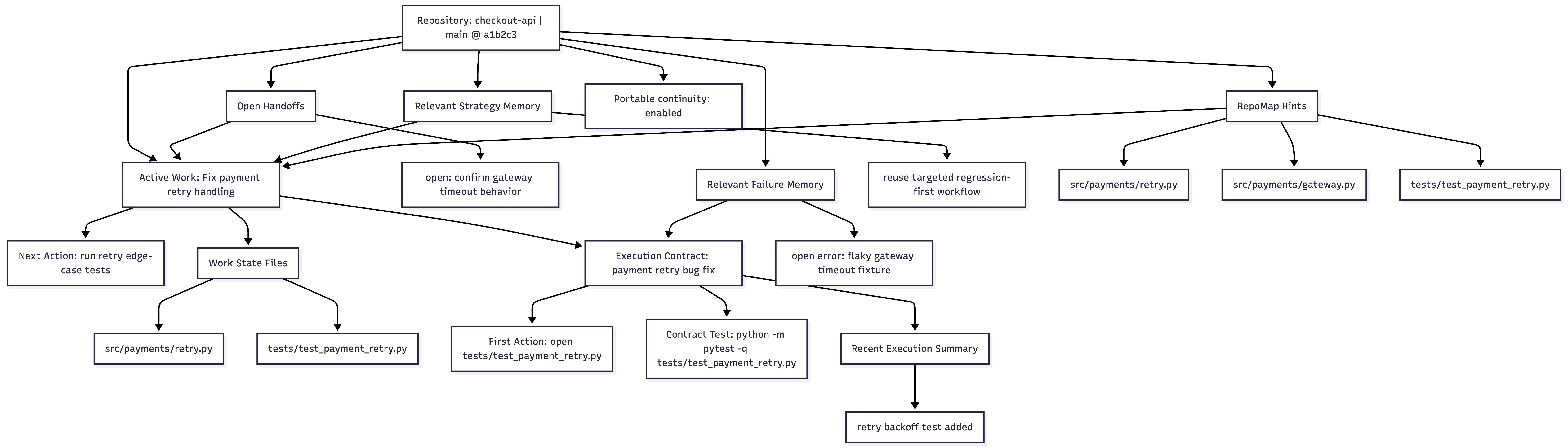
Inspect the continuity
aictx view --repo .
AICTX can render the current operational state of a repository as local Markdown and Mermaid:
.aictx/reports/continuity-view.md
.aictx/reports/continuity-map.mmd
Not hidden memory. Reviewable operational continuity.

 hacktivist123
 markmdev
 memctl
 AxmeAI
 boshu2
 pchalasani