epic-toolkit
Run multi-session epics as a directed acyclic graph, with parallel siblings
executing in their own git worktrees and merging back into a coordinator trunk
branch wave by wave. Works with both Claude Code and OpenCode.
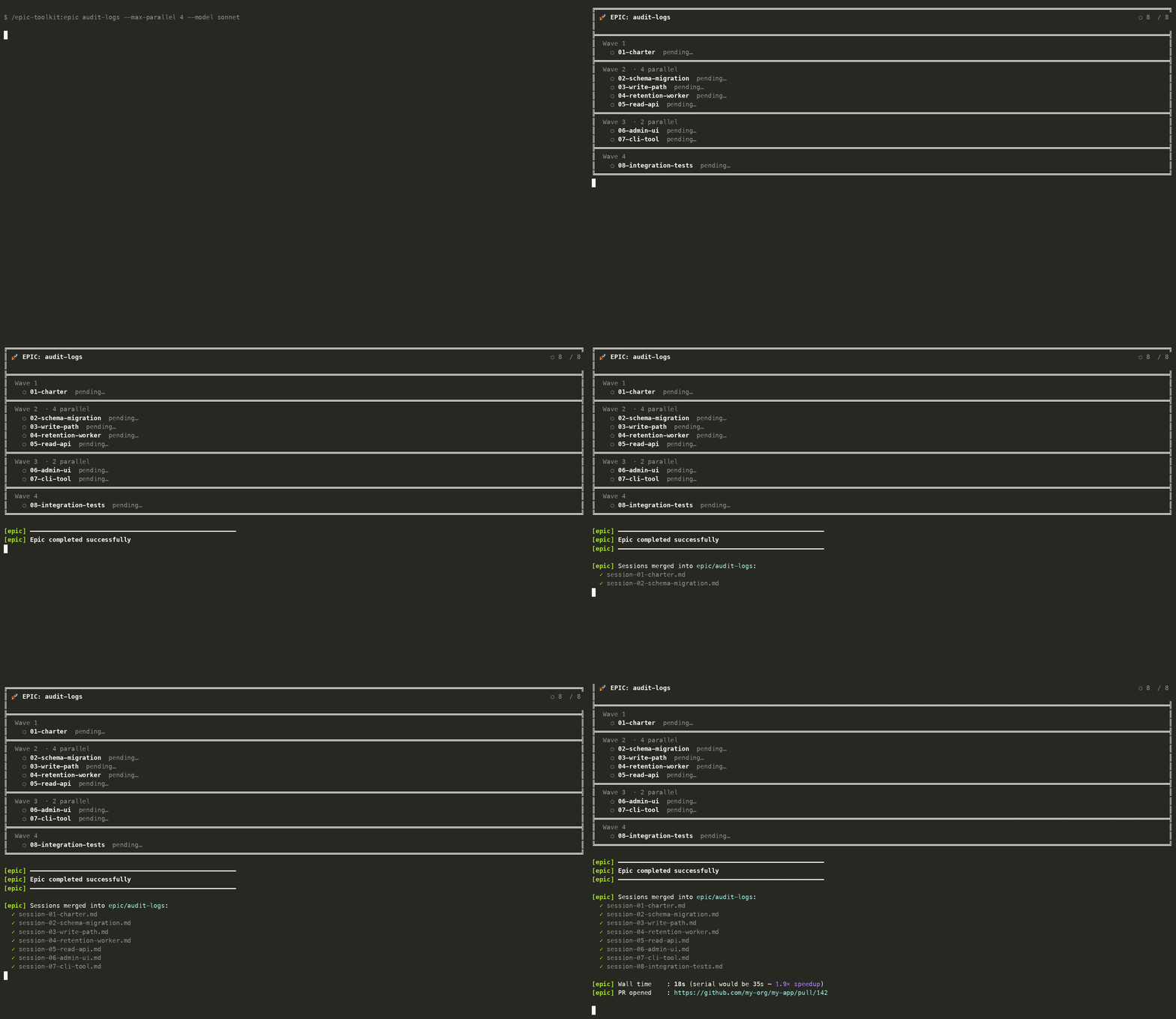
Adds three slash commands:
- Claude Code:
/epic-toolkit:epic.generate <problem statement> — turns a problem statement into a
sequence of session prompt files with DAG metadata. For large multi-subsystem
initiatives it splits the work into multiple epic directories and emits a
matching sprint config.
- Claude Code:
/epic-toolkit:epic <name> — runs the generated epic, fanning out parallel waves and
auto-creating a PR when done.
- Claude Code:
/epic-toolkit:sprint <sprint.json | epic-dir...> — runs N epics
back-to-back on a shared trunk branch and opens a single PR for the whole
sprint (multi-epic orchestrator).
OpenCode exposes the same commands without the Claude plugin namespace:
/epic.generate, /epic, and /sprint.
Install
Claude Code:
/plugin marketplace add aramirez087/epic-toolkit
/plugin install epic-toolkit@epic-toolkit
Then run the namespaced Claude Code commands:
/epic-toolkit:epic.generate <problem statement>
/epic-toolkit:epic <name>
/epic-toolkit:sprint <sprint.json>          # multi-epic, one PR
For terminal/scripted setup, the equivalent commands are:
claude plugin marketplace add aramirez087/epic-toolkit
claude plugin install epic-toolkit@epic-toolkit
OpenCode:
The .opencode/commands/ directory is auto-detected. Clone the repo or symlink
.opencode/commands/ into your project and the /epic, /epic.generate, and
/sprint commands will be available.
Release / update policy
This plugin uses an explicit version in .claude-plugin/plugin.json. Bump that
version for every user-facing release; Claude Code uses it to decide whether
installed users should receive updates. The marketplace entry intentionally does
not duplicate the version, so the plugin manifest remains the single source of
truth.
Dual-tool support
The orchestrator auto-detects which CLI is running (claude vs opencode) via
environment variables and PATH lookup. You can force a specific CLI with the
--cli flag:
bash scripts/run-sessions.sh docs/claude-sessions/my-epic --cli opencode
bash scripts/run-sessions.sh docs/claude-sessions/my-epic --cli claude
Progress display adapts to the CLI:
- Claude Code: streams
--output-format stream-json through
epic-progress.py for real-time step/tool/target tracking.
- OpenCode: streams
--format json through epic-progress.py for the
same real-time tracking. Both formats are auto-detected.
What it does
/epic-toolkit:epic.generate writes session prompts under
docs/claude-sessions/<epic-name>/. Each session 01+ gets YAML frontmatter
declaring its DAG edges (depends_on, touches, parallel_safe)./epic-toolkit:epic invokes the runner. It:
- Validates the DAG (no cycles, all deps exist).
- Computes Kahn-style waves (independent sessions in the same wave).
- Creates a trunk worktree on
epic/<name> and per-session worktrees on
epic/<name>/sNN-<slug> for each sibling, branched off the trunk's HEAD.
- Runs up to
--max-parallel (default 4) sessions in a wave concurrently
with a fresh CLI process each (PLAN pass → EXECUTE pass).
- Iteratively
--no-ff merges successful siblings into trunk between waves.
- Auto-commits, auto-creates a GitHub PR via
gh, cleans up worktrees.
/epic-toolkit:sprint runs N epics back-to-back on a shared trunk
branch and opens a single PR for the whole sprint. Each epic is a normal
/epic-toolkit:epic run; the wrapper enforces sequential execution,
forwards --no-pr to every epic except the final one, and emits a single
sprint-level summary.
Layout produced by /epic-toolkit:epic.generate
docs/claude-sessions/<epic-name>/
  session-00-operator-rules.md     # prepended to every session
  session-01-charter.md            # solo wave (parallel_safe: false)
  session-02-auth.md               # wave 2 sibling (depends_on: [01])
  session-03-email.md               # wave 2 sibling (depends_on: [01])
  session-04-billing.md            # wave 2 sibling (depends_on: [01])
  session-05-admin-ui.md           # wave 3 (depends_on: [02, 04])
  session-06-ci-gate.md            # final solo wave (depends_on: all)
epic-dag.py --show renders this as:
  ║ Wave 1: [01 charter ]
  ╠ Wave 2: [02 auth   ]  [03 email   ]  [04 billing ]
  ║ Wave 3: [05 admin-ui]
  ║ Wave 4: [06 ci-gate]
Frontmatter fields
