Stats
Links
Categories
Folios - local document library MCP server for Claude Code
npx claudepluginhub alex-pradas/foliosMCP server for querying a local library of versioned Markdown documents
 alex-pradas




A lightweight Model Context Protocol (MCP) server for querying your local library of documents.

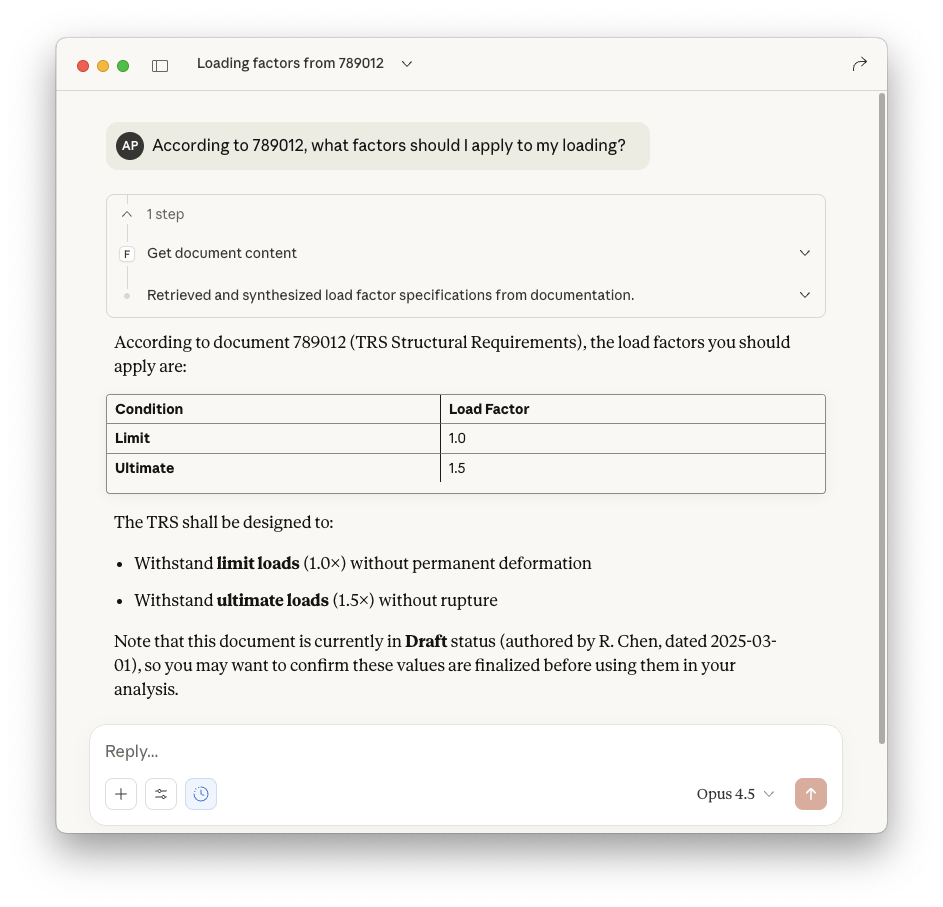
AI agents working on engineering tasks often need access to internal documents—design practices, guidelines, specifications—typically stored in document management systems (PLM, QMS...). While RAG (Retrieval Augmented Generation) can provide this functionality, it's complex to set up and maintain.
Why not access the documents directly? LLM context windows are big enough to handle these documents, or at least whole sections. Also, the master information lives in these documents anyway, AIs or RAGs won't replace the quality processes companies already use to manage knowledge. Giving agents read-only access to the source library is a more straightforward approach. However, enterprise document repositories often have restricted APIs or require privileged access that's difficult to obtain.
Folios solves this by providing a simple MCP server that points to a folder of Markdown files. If you're developing agentic workflows and need to mock or prototype document access before integrating with complex enterprise systems, Folios lets AI assistants query documents with minimal setup.
No RAG pipelines, no finetuning, no extra steps. From source to context window.
{id}_v{version}.md naminguvx folios --path /path/to/your/documents
Any normal local folder will do. Documents follow the naming convention {id}_v{version}.md:
documents/
├── 123456_v1.md      # Design Practice (v1)
├── 123456_v2.md      # Design Practice (v2)
├── 200001_v1.md      # Material Specification
├── 200002_v1.md      # Procedure
└── 789012_v1.md      # Technical Requirements
Metadata is flexible - include any fields your workflow requires:
---
author: "J. Smith"
date: "2025-01-15"
document_type: "Design Practice"
status: "Approved"
reviewer: "A. Johnson"
---

# Stress Analysis Design Practice

Lorem ipsum dolor sit amet, consectetur adipiscing elit.

## Background

More text here...
Only an H1 title and the {id}_v{version}.md filename pattern are required. Metadata is optional—missing fields show "NA" in responses.
You can run folios directly with one terminal command:
uvx folios --path /path/to/your/documents
alternatively, you can add it to your LLM Client MCP configuration:
{
  "mcpServers": {
    "folios": {
      "command": "uvx",
      "args": ["folios", "--path", "/path/to/your/documents"]
    }
  }
}
We have tested it with Claude Desktop and the GitHub Copilot Extension for VS Code, but it should work with any MCP-compatible client.
